activemq查看订阅报错503
问题描述:如下图,activemq点击Manage ActiveMQ broker,提示503,是因为activemq有问题,需要替换一个新的activemq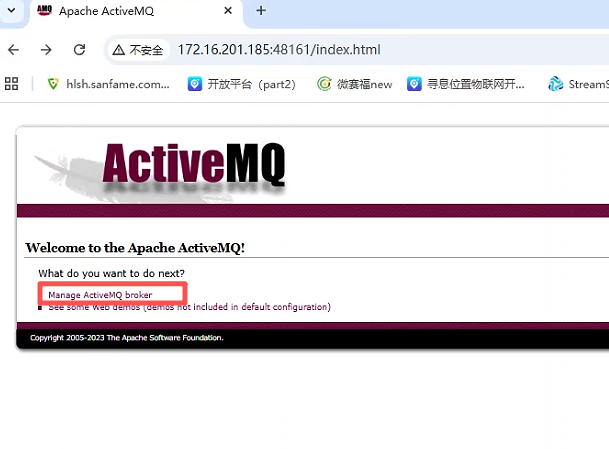
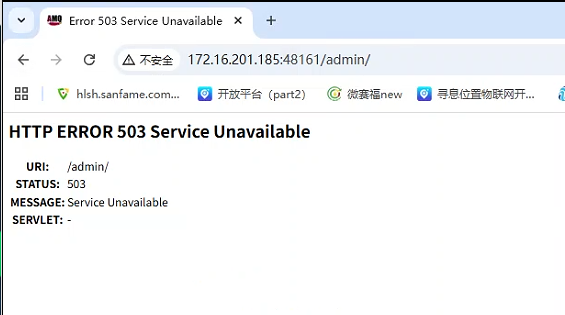
解决办法:
1.点击下方链接下载新的activemq的包
/attached/file/20251119/20251119162304_476.zip
2.把压缩包上传到服务器的/home/seekcy/softs下面
3.先备份activemq,然后解压压缩包
#进入softscd /home/seekcy/softs#备份activemqmv activemq activemq.bak#解压压缩包unzip 20251119/20251119162304_476.zip
4.给新的activemq文件赋权,重启activemq
#给文件赋权chmod -R +x /home/seekcy/softs/activemq#查看activemq的进程idps -ef |grep activemq#杀掉原来的activemqkill -9 刚才查到的进程id#进入目录启动acitvemqcd /home/seekcy/softs/activemq/activemq-01/bin./activemq start > /dev/null
5.开放平台升级到3.7.10版本或者直接安装的需要开启开放平台配置文件开关才能推送activemq,3.7.10以后的版本没有这个问题
#进入开放平台配置文件目录cd /home/seekcy/js_open/location-server/config/#编辑配置文件vi application.properties
6.按下图修改配置文件,把红框中的配置false改成true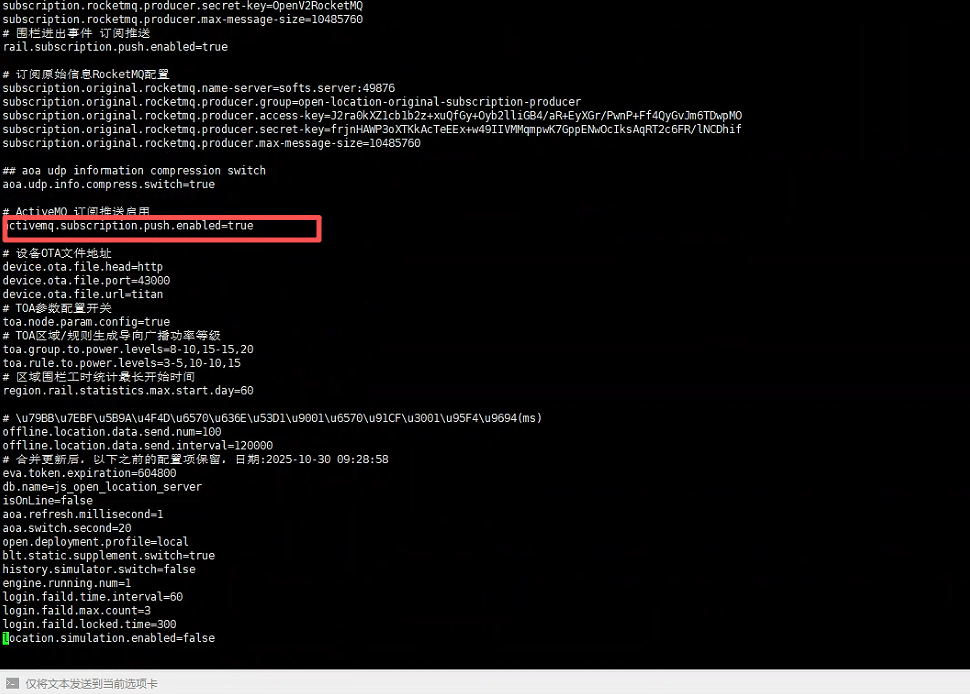
7.重启开放平台
#进入开放平台目录cd /home/seekcy/js_open/location-server#重启开放平台./service-server.sh
8.之后再查看是否有数据推送
转载请注明作者和出处,并添加本页链接。
原文链接:
//svn.seekcy.com/847