influxdb数据库损坏重建索引方法
问题描述:项目服务器断电或者中毒,导致influxdb数据库损坏,influxdb数据库无法启动,平台无法连接influxdb数据库;
解决方法:
1、查看influxdb数据库服务是否还存在,如果存在找到进程并kill进程;
ps -ef |grep influxdbkill -9 (对应influxdb数据库pid进程)
2、删除所有_series 文件夹;默认保存在/home/seekcy/database/influxdb/data/js_open_location中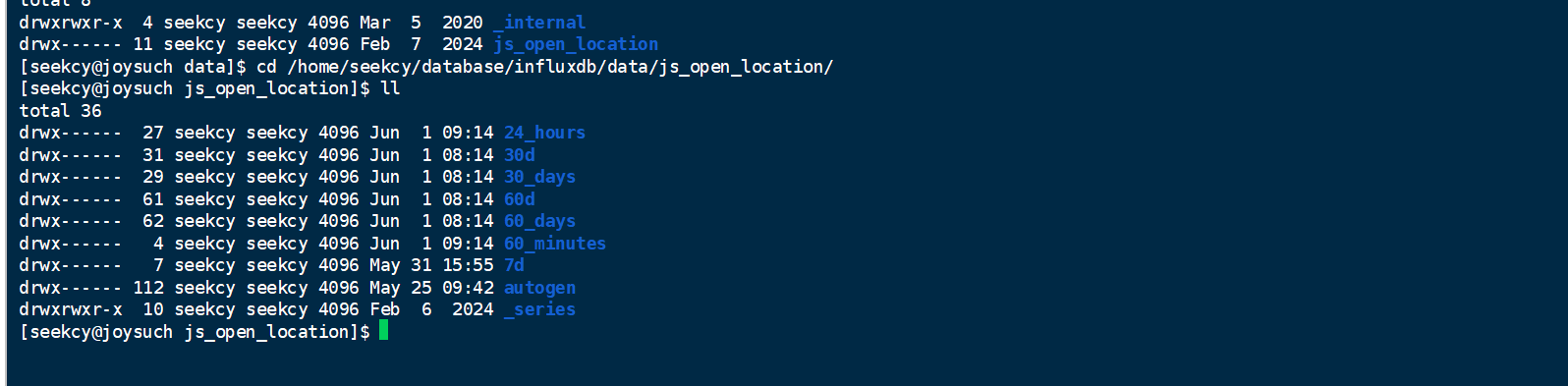
cd /home/seekcy/database/influxdb/data/js_open_locationrm -rf _series/home/seekcy/database/influxdb/data/_internalrm -rf _series
3、使用以下命令重建influxdb数据库索引;
influx_inspect buildtsi \-datadir /home/seekcy/database/influxdb/data \-waldir /home/seekcy/database/influxdb/wal
4、使用以下命令重启influxdb;
# 切换到InfluxDB目录cd /home/seekcy/database/influxdb/bin# 启动InfluxDBnohup ./influxd -config ../influxdb.conf &
5、重启完成后执行diyib第一步查看influxdb是否正常启动;
ZGL(260601)
转载请注明作者和出处,并添加本页链接。
原文链接:
//svn.seekcy.com/897